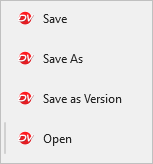
When you enable the Docsvault Microsoft Office Add-in, Docsvault adds the following commands to the File menu in Microsoft Office:
•Save: Saves changes to the current document in Docsvault.
•Save As: Saves the document as a new document in Docsvault.
•Save as Version: Saves the currently open document as a new version. Docsvault prompts you to enter version notes before saving the new version.
Open: Opens another document from Docsvault.
Available options depend on the current mode / situation the document is in.
|
Note: Docsvault commands are identified by the Docsvault icon.