DocAI – AI Assistant
The DocAI – AI Assistant provides AI-powered tools in the Preview panel. You can use it to work with selected text or other supported content without opening the document in another application.
•AI Assistant is a DocAI add-on feature and requires a DocAI add-on license. |

Use AI Assistant
•Open a document in the Preview panel.
•Select the text you want to work with.
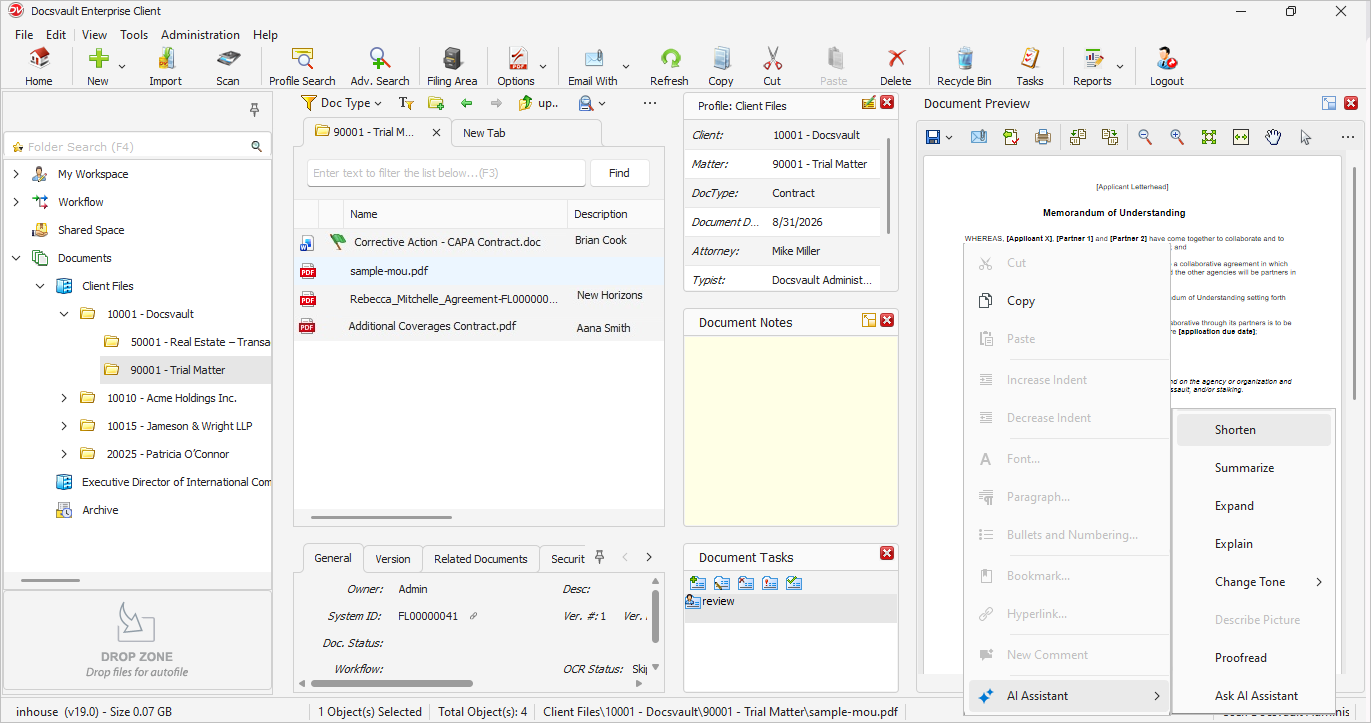
•Right-click the selected content, Point to AI Assistant. OR Click on AI button from the toolbar.
•Select the required option.
 |
AI Assistant Options
Shorten
Shortens the selected text while keeping the main information. Use this when you want to make lengthy text more concise.
Summarize
Creates a summary of the selected text. Use this when you need the main points without reading the complete content.
Expand
Expands the selected text with additional detail. Use this when you want to develop a short piece of text into more detailed content.
Explain
Provides an explanation of the selected text in simpler or clearer terms. Use this when the content is difficult to understand.
Change Tone
Changes the tone of the selected text.
Describe Picture
Provides a description of a selected picture. This option is available when working with supported picture content.
Proofread
Checks the selected text for spelling, grammar, and other writing issues.
Ask AI Assistant
Use Ask AI Assistant when you want to give your own instruction instead of using one of the predefined options.
For example, you can select a section of a document and ask the AI Assistant to:
•Extract the key points.
•List the important dates.
•Identify the names of the parties.
•Explain a specific section.
•Rewrite the selected content in a specified format.
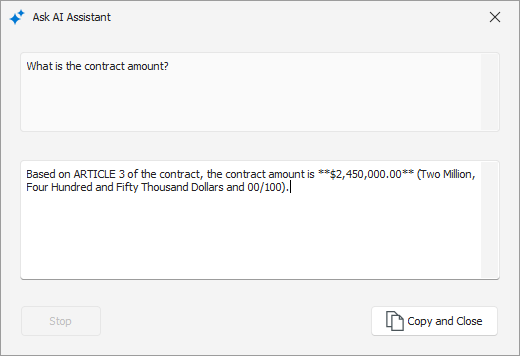 Ask Assistant |
Example:
You are reviewing a lengthy clause in a contract.
1. Open the contract in the Preview panel.
2. Select the clause.
3. Right-click the selection.
4. Select AI Assistant > Summarize.
5. Review the generated summary.
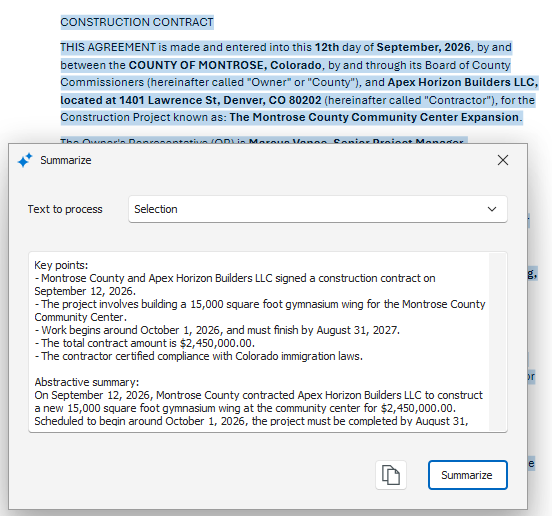 AI Assistance - Summarize |
You can also select Explain if you need the clause explained in simpler language, or Ask AI Assistant if you have a specific question about the selected content.
•The AI Assistant options available depend on the type of document and content selected. •AI Assistant works on the content you select. Review AI-generated results before using them in a document or relying on them for business or legal decisions. •If AI Assistant does not process as expected, review the AI Tools log file for details.
|