When search results are displayed in a tab, move the pointer over the Search tab to view a tooltip containing the search criteria.
The tooltip displays the search criteria as label-value pairs, making it easier to identify the search without reopening the search dialog.
For example:
Name: Rebecca Mitchell
Created: Is This Year
Modified: Between 6/1/2026 - 6/24/2026
Doc. Status: Approved
Text: This AND that NOT other
Document ID: 78946
Profile: Client Files
Client: 10010 -Acme Holdings Inc
Matter: 5008 - Litigation
Doc Type: Agreement
Example: The following screenshot shows search results with the search criteria displayed in the tooltip.
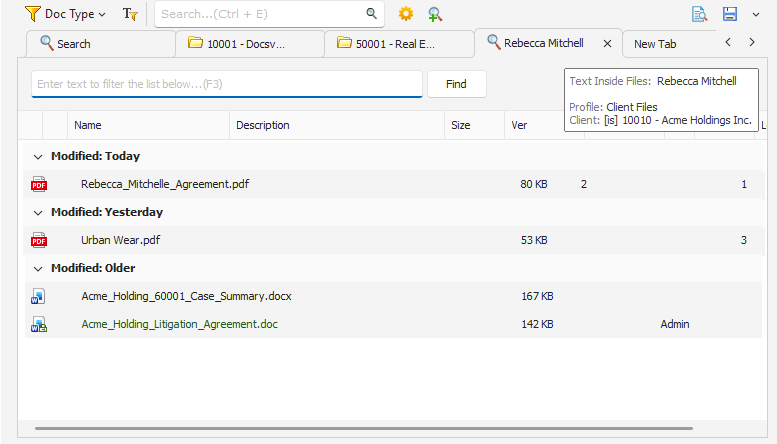 Search result listing with search criteria |