Open a Document Checked Out by Another User
When you open a document by clicking on the document that is currently checked out by another user, Docsvault displays a message with two options:
•Open current version in Docsvault – opens the last checked-in version.
•Open with latest edits in current checked out document – opens the latest changes that have been synced to the Docsvault Server.
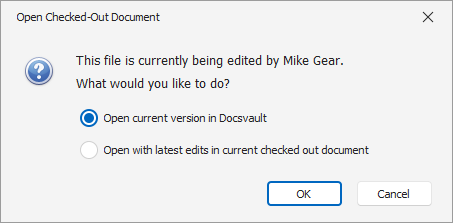 Open Checked-Out Documents |