Legal Document Management Case Studies: Real-World Law Firm Examples

Choosing a document management system is easier when you can see how it works in a real legal environment.
These legal document management case studies show how law firms have used Docsvault to address practical document-management challenges, including document retrieval, filing, client-matter organization, and migration from an existing document management system.
Each case study focuses on the customer’s situation, the document-management challenge, the solution implemented, and the results reported by the customer.
Explore the case studies below to see how legal teams use document management software in real-world practice.
Legal Document Management Case Studies
1. Glusing & Muher LLC — Improving Document Search and Retrieval
Industry: Legal
Practice Areas: Personal injury, workers’ compensation, and vehicle accidents
Primary Challenge: Finding documents quickly while communicating with clients
Glusing & Muher LLC was experiencing difficulty managing and locating paper files. When an attorney or staff member needed a document while speaking with a client, they sometimes had to search through the office to find the relevant file.
The firm’s document-filing and retrieval process was time-consuming and inefficient.
The firm adopted Docsvault to address its filing, search, and retrieval challenges.
According to the published case study, Docsvault gave the firm faster access to its files and changed how the office handled document retrieval. The firm’s customer also described the product and service experience positively.
What this case study covers:
- Legal document filing
- Document scanning and capture
- Document search and retrieval
- Document control and revision
- Access to paperless files
- Practical document management for a law firm
Read the full case study:
Glusing & Muher Legal Document Management Case Study
2. Edwards Craver Veach PLLC — Migrating from Worldox to an On-Premise Legal DMS
Industry: Law Practice
Use Case: Legal document management and migration from Worldox
Primary Challenge: Finding an on-premise alternative while maintaining client-matter structure and control
Edwards Craver Veach PLLC had used Worldox since 2007. In 2025, the firm began looking for an alternative that would allow it to maintain an on-premise deployment and control its client data on firm-managed infrastructure.
The firm also experienced performance concerns with its existing system.
After evaluating alternatives, Edwards Craver selected Docsvault for its legal document management and migration requirements.
The published case study describes the resulting implementation around structured client-matter filing, metadata-driven indexing, document retrieval, access controls, and migration from Worldox.
What this case study covers:
- Worldox migration
- On-premise legal document management
- Client-matter organization
- Metadata-driven document filing
- Document search and retrieval
- Role-based access control
- Legal DMS migration considerations
Read the full case study:
Edwards Craver Veach Worldox Migration Case Study
What These Legal DMS Case Studies Show
The needs of law firms vary, but real-world implementations often center on a few fundamental document-management requirements.
Structured Legal Document Organization
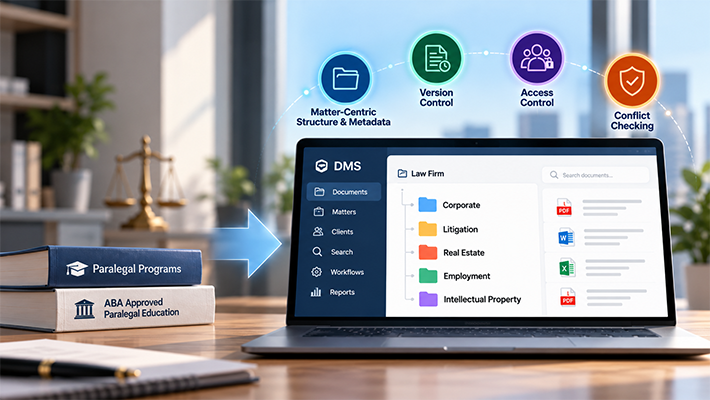
Legal documents need context. Client and matter information can be used to organize documents consistently so that users can find the information associated with a particular matter.
Faster Document Retrieval
Searching for documents is a recurring operational requirement in legal practice. The Glusing & Muher case study illustrates how document search and retrieval can affect day-to-day client communication.
Controlled Document Management
Legal teams need more than a place to store files. Document management can include controlled filing, document history, access permissions, and other controls that help organizations manage documents throughout their lifecycle.
Migration From an Existing DMS
Replacing an established document management system introduces different considerations from implementing a DMS for the first time.
The Edwards Craver Veach case study provides a real-world example of a law firm moving from Worldox to an on-premise alternative while maintaining a client-matter filing structure.
See How Docsvault Supports Legal Document Management
Real-world implementations can help you understand what a legal DMS looks like in practice. To explore the platform itself, see Docsvault Legal Document Management Software or request a demonstration to discuss your firm’s requirements.
Choosing a Legal Document Management System
Case studies are useful because they show how document management works in actual organizations. However, a case study should be considered alongside the firm’s own requirements.
When evaluating a legal DMS, consider:
- How documents are organized by client and matter
- How users search and retrieve documents
- How email and documents are managed together
- How document versions are controlled
- How permissions and access are managed
- How the system handles existing documents during migration
- Whether the deployment model fits the firm’s requirements
- What support, training, and implementation resources are available
For a broader explanation of legal document management, see Document Management for Law Firms: A Practical Guide.
For firms actively comparing vendors and evaluating requirements, see How to Choose Legal Document Management Software: A Buyer’s Guide for Law Firms.