Importance of Digital Signature in Business Environment & Legal Workflows
Overview
In today’s digitally connected world, speed, security, and simplicity define business success. Whether you’re finalizing a client agreement, approving vendor contracts, or onboarding new employees, no one wants to be bogged down by paperwork.
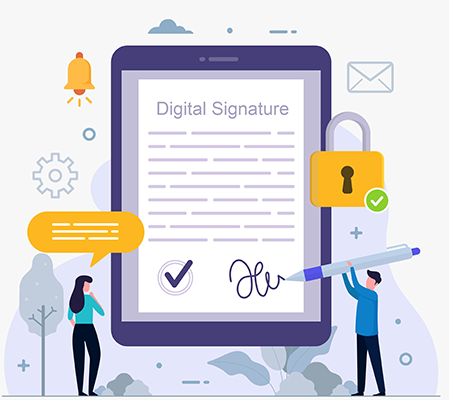
That’s where digital signatures step in. They provide a secure, efficient, and legally compliant way to sign and manage documents inside a structured document workflow automation system.
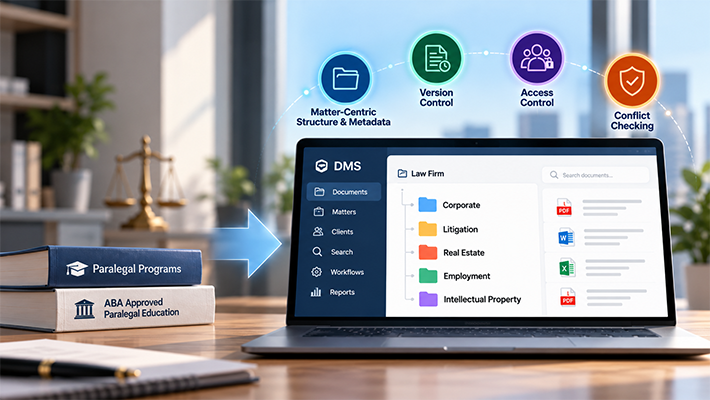
For legal professionals managing contracts, court filings, and client agreements, a dedicated document management system for law firms takes this further — combining e-signing with matter-based filing, version control, and compliance tracking.
Beyond convenience, digital signatures have become essential for regulatory compliance. Laws such as GDPR, CCPA, and other data protection regulations require organizations to maintain strict control over how documents are accessed, shared, approved, and signed. For law firms and businesses alike, digital signatures are now a critical part of secure and efficient document management.
Why Digital Signatures Are Essential for Modern Business
The days of printing, signing, scanning, and emailing contracts are numbered. A 2025 industry report projects continued double-digit growth in the digital signature market as businesses modernize operations and shift to remote or hybrid work environments.
Today’s customers and vendors expect seamless, digital-first experiences. Businesses that can deliver faster, safer signing workflows gain a competitive edge while reducing operational costs and paperwork waste.
Top Benefits of Digital Signatures
Faster Approvals
Say goodbye to bottlenecks. Documents can be signed and returned in minutes, improving deal closures and project timelines. When digital signatures are embedded inside a document workflow automation system, the signed document automatically advances to the next workflow step -no manual follow-up required.
Enhanced Compliance
Keep pace with data protection laws like GDPR and CCPA. Digital signatures provide legally binding, tamper-evident seals and audit trails. Digital signatures provide legally binding, tamper-evident seals and audit trails, especially when supported by structured document compliance and version control practices.
Easy Discovery During E-Discovery
Simplify legal audits and investigations by maintaining tamper-proof, time-stamped approval records. Digital signatures ensure signed documents are easily searchable, verifiable, and audit-ready when needed, which is essential for organizations preparing for e-discovery.
Seamless Vendor & Client Experiences
Offer customers and vendors a modern, hassle-free way to review and sign documents from any device.
Lower Costs & Less Paper
Cut down on printing, delivery, and storage expenses while supporting your organization’s eco-friendly goals.
Ready for Remote Work
Maintain secure, real-time approval workflows for distributed teams.
Digital Signatures in Legal Workflows
Legal professionals handle some of the most document-intensive, signature-dependent processes in any organization – client engagement letters, NDAs, contracts, settlement agreements, court-filed documents, and regulatory submissions. In legal workflows, a missing signature or an unsigned version filed in error can have serious consequences.
Integrating digital signatures into a legal document management system solves this at every level:
- Client-facing signing – send contracts and engagement letters to clients for remote signing without printing or courier delays
- Internal approval chains – route documents through internal review before releasing to clients, with signatures collected at each approval step
- Version integrity – only the final, approved version is released for signature; earlier drafts cannot be accidentally signed
- Audit trail for legal defensibility — every signing event is timestamped and logged, creating a court-admissible record of when a document was signed and by whom
- Matter-based filing – signed documents are automatically filed under the correct client matter in the DMS, eliminating manual post-signing admin
Explore how contract workflow automation benefits legal departments
See Docsvault’s Law & Legal Document Management Solution
Real-World Use Cases
The need for secure, auditable document signing extends well beyond legal. Here’s how digital signatures streamline operations across other key sectors.
Manufacturing
Manufacturers increasingly rely on digital contracts for vendor agreements, purchase orders, and supplier onboarding. By going paperless, they minimize delays, reduce costs, and ensure document traceability throughout their supply chains.
See how manufacturers benefit from digital contracts
Healthcare & Regulated Industries
In healthcare and other compliance-heavy industries, digital signatures enable faster approvals for internal documents, consent forms, vendor agreements, and operational directives while maintaining HIPAA and data protection compliance.
Finance & Accounting
Speed is crucial in financial services. Digital signatures simplify approvals for expense reports, internal financial policy sign-offs, and vendor payments.
Learn how to automate expense approvals with digital workflows
Human Resources
From offer letters and employment contracts to performance reviews and termination agreements, HR departments use digital signatures to fast-track employee lifecycle documentation.
Read why HR workflow automation is a game-changer
Vendor & Client Management
Streamline vendor onboarding, service agreements, and purchase order approvals with a secure, auditable digital signature workflow.
Discover smarter vendor onboarding practices
External Client & Vendor Approvals
Getting timely approvals from external clients, vendors, and partners is critical for keeping projects, contracts, and service agreements on track. Digital signatures simplify this process, allowing you to securely send documents for signature and receive signed approvals in record time — with full traceability and compliance.
Learn how to speed up external approvals with Docsvault Signature Requests
Looking for more ways to optimize your document workflows? Check out our post Digital Workflow Automation – Benefits and Use Cases
Docsvault: Built-In Digital Signature & Workflow Integration
Unlike third-party e-signature services, Docsvault offers a built-in digital signature solution designed to work seamlessly with your existing documents and workflows. No extra apps, no complicated integrations.
With Docsvault, you can:
- Digitally sign documents internally or request signatures from clients, vendors, or partners
- Automate document approvals and signing steps in your workflow
- Maintain an organized, searchable archive of signed documents
- Ensure security, traceability, and compliance every step of the way
It’s especially valuable for legal firms where secure, audit-ready, and compliant document approvals are non-negotiable.
Final Thoughts
In a world where speed, security, and compliance are everything, digital signatures are no longer optional — they’re essential. Whether you’re managing contracts, legal documents, or business agreements, a streamlined, reliable signing process keeps your operations running smoothly and your customers satisfied.
Explore Docsvault’s integrated digital signature and workflow solution to modernize your document approvals and stay ahead in a digital-first business world.
See how Docsvault’s Digital Signature solution integrates signing directly into your document workflows – no third-party e-sign tool required.