
Welcome to our one-stop resource center for helping you make the most of your Docsvault free trial.

How to Install Docsvault Server & Desktop Client
This video outlines the steps to perform a new installation of the Docsvault Server and the Docsvault Desktop Client. Docsvault is multi-user software with Server-Client architecture where the server part is installed on a central server (or a designated PC) in your network, and the client part is installed on various workstation PCs. It is important for the server to meet the specified system requirements for the installation to proceed smoothly.
How to Install Docsvault Server & Desktop Client
This video outlines the steps to install Docsvault Web Client. The web application is usually installed on the server but it can also be installed on any other machine. For detailed deployment requirements, review the Docsvault System Requirements documentation.

Document Interface Overview
Explore the Docsvault user interface and learn how to navigate cabinets, folders, workflows, search tools, document previews, version history, audit trails, and customizable document management features.

Document Import & Capture Software
Learn how Docsvault simplifies document capture, import, and filing with drag-and-drop uploads, Outlook integration, Office integration, PDF printing, watch folders, scanning, and automated document import workflows.

Document Scanning Software & OCR Capture
Learn how to scan, OCR, separate, index, and file paper documents into Docsvault using batch scanning, barcode separation, and document imaging tools.

Document Profiles & Metadata Configuration
Learn how to create document profiles, configure metadata fields, automate document naming, validate data, inherit values, and build structured document classification systems in Docsvault

Document Profiling and Metadata Indexing
Learn how Docsvault uses document profiles, metadata fields, and indexing to organize documents, improve search accuracy, automate filing, and simplify document retrieval across large repositories.

Document Control Software Features
Explore Docsvault’s document control features including version control, check-in/check-out, document status tracking, workflow tasks, alerts, audit trails, advanced search, reporting, and security controls.

Docsvault PDF Management
Discover how Docsvault simplifies PDF management with PDF creation, editing, OCR, redaction, annotations, digital signatures, page assembly tools, and secure document workflows.

Document Automation & Business Process Automation Software
Discover how Docsvault automates document capture, workflow routing, email processing, digital signatures, records retention, eForms, API integrations, and business processes to improve efficiency and compliance.
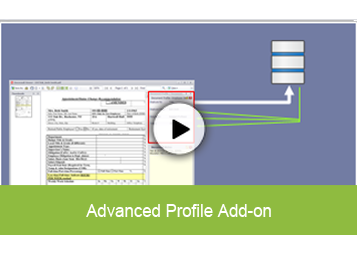
Metadata Integration with CRM & ERP
Learn how Docsvault’s Advanced Profiles automatically populates document metadata from CRM, ERP, accounting, HR, and other business databases to reduce data entry, improve consistency, and eliminate errors.

Workflow Designer & Workflow Configuration
Learn how to create, configure, and automate document workflows in Docsvault. This tutorial covers workflow steps, transitions, participants, approvals, notifications, reminders, permissions, managers, watchers, and automatic workflow triggers.

Using Docsvualt Workflows in Docsvault
This video shows the automated electronic workflow in action and how it saves time and effort in repetitive everyday business activities thereby improving its accuracy and traceability.

Web Access, Mobile Apps & Secure Document Sharing
Explore the Docsvault user interface and learn how to navigate cabinets, folders, workflows, search tools, document previews, version history, audit trails, and customizable document management features.
