Contract Workflow Automation for Legal Departments: A Complete Guide | Docsvault
Contracting is arguably the staple work for in-house legal teams.
However, most pre-and post-signature tasks are manual and resource-intensive and can disrupt the entire contract lifecycle.
According to a study by Gartner, creating contracts, negotiations, reviews, and approvals incurs over 50% of the legal department’s time — excluding the time required for managing and maintaining the complete contract repository.
Hence, automating the contract management process can yield tremendous benefits, whether you’re a lawyer, an independent legal consultant, a paralegal at a law firm, or a professional at a corporate legal department. Let’s understand in detail how contract workflow automation can benefit legal teams.
What is Legal Workflow Automation?
Legal workflow automation refers to optimizing and automating the legal team’s workflows automation to eliminate errors and maximize overall working efficiency.
In-house legal teams and similar departments have high volumes of manual work, often leading to increased workloads, pressure, and stress. However, with legal workflow automation software, they can save the time and effort they used to spend on regular and repetitive tasks. For instance, they can automate the contract approval process, which involves submitting, reviewing, assessing, and approving contracts.
Thus, legal workflow automation allows law professionals to focus on other important tasks by taking care of the lower-value, more mundane ones.
The Benefits of Legal Contract Workflow Automation
The problem with manual legal contract management is that it is costly, time-consuming, and risky.
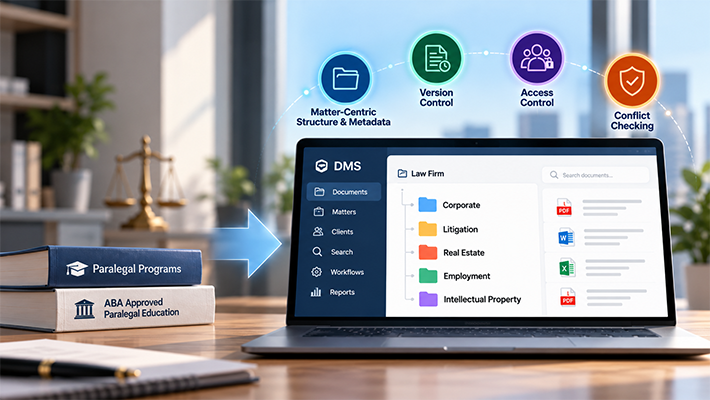
It has many flaws, from miscommunication and lack of version control to long delays and inefficiencies in reviews and approvals. After all, in-house counsel and other legal professionals have hundreds or thousands of contracts and related documents to create, manage and track. These challenges can become more complex in multi-practice law firms, where different departments manage distinct contract types, supporting documents, approval processes, and matter requirements. See how multi-practice firms can structure their document management systems to support these varying needs.
Legal workflow automation software helps eliminate all these challenges, contributing to a faster and more efficient contract workflow. It allows legal teams to:
- Create contracts without any hassle
- Establish automated workflows
- Use standardized contract templates
- Define audit trails
- Cut down on manual search, data entry, tracking, review, and reporting
Following are five key benefits of using contract workflow automation software for legal departments:
No Risk of Errors
Lack of standardization and templatization in the manual process leads to duplication of work, and drafting the same contracts over and over again increases the risk of human errors. Using a legal document management solution like Docsvault, you don’t have to repeat the same process, which saves time and helps avoid costly errors early on.
Instead, you can use pre-defined templates for automated contract generation and auto-population capabilities for authoring.
More Effective Communication
Communication is an integral part of contract generation and management. However, the manual process doesn’t have a clearly defined workflow, which creates miscommunication about contract approvals.
On the other hand, reliable legal contract workflow automation software improves visibility and accountability for approval tasks, allowing for cross-functional collaboration and communication.
It significantly reduces the amount of back-and-forth communication required to coordinate cross-departmental reviews of different contract sections.
With features such as role-based access, parties can easily see what is expected of them and when, reducing the risk of delays.
Make Accurate Decisions
A legal contract workflow automation software centralizes all the steps crucial to contract creation and management in one place, making it easy for general counsel, paralegals, and chief financial officers to make better and more accurate decisions quickly.
From creation and review to approval and execution, you have all facets related to legal functions in one place, which allows you to conveniently manage the entire life cycle of a contract through workflow automation.
The software stores all things related to a contract in a centralized repository, which provides greater accessibility while allowing you to set access rights to protect confidential information and ensure tasks like approvals are carried out only by authorized people.
Mitigate Risk Proactively
According to a study by the Ponemon institute, businesses lose an average of $15 million yearly in the form of lost revenue, fines, productivity, and other setbacks from compliance issues.
With that in mind, legal contract workflow automation software comes packed with built-in automatic checks and safeguards to promote risk mitigation.
For instance, by utilizing automation tools for contract creation, one can draft their own contracts in compliance with industry standards and current best practices.
Moreover, you can schedule tasks and set alerts through customizable reminders to keep yourself and your colleagues on track and ensure you never miss deadlines. Docsvault’s Email Reminder Jobs can automatically monitor contract expiry dates, renewal deadlines, and payment milestones stored as index values, sending personalized alerts to the right people days or weeks in advance, without manual tracking or an active workflow.
Improved Security
Contracts generally contain confidential information, which makes them a soft target for cyber attacks. Legal departments that use email to share contracts are vulnerable to these attacks because email isn’t as safe as it appears.
Contrary to how contracts were traditionally shared, legal contract workflow automation software allows authorized persons to access and share contracts in an encryption-protected environment.
Also, logically, storing contracts online is far safer and more secure than keeping them on desks or in shared storage cabinets in the office.
Key Functions of a Legal Contract Workflow Automation Software
The possibilities of what you can do with contract workflow automation software are endless.
Docsvault’s Electronic Contract Management Solution covers the full contract lifecycle from creation and template management through approval, e-signing, and post-execution obligation tracking.
- Electronic contract signing – Digital signatures allow authorized users to sign contracts directly in Docsvault without printing, creating a legally binding, timestamped record of every signing event.
- Contract workflow automation – Design multi-step approval chains visually, assign participants, set deadlines, and configure automatic escalation rules – all without coding.
- Contract reviews and approvals – Route contracts to reviewers in sequence with mandatory fields ensuring all required information is present before advancement.
- Automated Deadline Alerts -Never miss a contract renewal, policy expiry, or payment deadline. Docsvault’s Email Reminder Jobs can monitor date-based index fields across your repository and send automatic personalized alerts on a defined schedule – running independently of any active workflow.
- Obligation management – Track post-signature obligations, payment schedules, and renewal windows with automatic notifications before deadlines are missed.
Let’s see how you can create automated contract workflows in Docsvault.
Legal Contract Workflow Automation with Docsvault
Docsvault enables users to create automated contract approval workflows to sign contracts digitally using digital signatures. Any user with a digital certificate issued by the Docsvault Administrator can digitally sign a contract.
The video below outlines the steps of creating automated workflows, which help manage one-step or multi-step document approval processes in Docsvault.
You can create Workflows from the ‘Workflow’node in the Server Manager dialogue. All you need to do is click the ‘New’‘Designer’ or ‘Manual.’
The ‘Designer’ option allows you to use the graphical designer to build the workflow flowchart visually. In contrast, the ‘Manual’ option lets you define a workflow using the normal forms wizard.

In Docsvault, a contract can be routed into a Workflow process manually or automatically.
To manually start a workflow on a contract and folder, right-click on the file or folder and choose ‘Workflow.’ You can also select multiple contracts under a single workflow.
On the other hand, contracts that are automatically routed into a workflow process by the Administrator are identified by a workflow icon in the document listing, indicating the workflow has been initiated automatically.
Docsvault’s Automatic Action feature automates all the processes involved in the workflow by eliminating most of the human intervention.

Thus, with Docsvault Automate Document Workflows , you can route contracts to the people who need to sign them without having to print them out just to sign.
Frequently Asked Questions
Legal workflow automation is the use of software to automate the repetitive, rule-based tasks that make up the contract and document lifecycle in a legal department – drafting from templates, routing for review and approval, collecting signatures, tracking deadlines, and filing executed documents. Rather than relying on paralegals and legal assistants to manually manage each handoff, the workflow software executes those transitions automatically based on predefined rules.
For in-house legal teams, law firms, and independent legal consultants, automation directly addresses the single biggest operational challenge: according to Gartner, contract creation, negotiation, review, and approval consumes over 50% of a legal department’s time. Workflow automation recovers that time by handling the administrative layer – routing, chasing, escalating, filing so legal professionals can focus on the substantive legal work that requires their expertise.
In Docsvault, legal workflow automation is configured using a no-code visual workflow designer. Contract approval chains, review routing, escalation rules, and digital signature triggers are all set up without IT involvement and run automatically from that point forward.
Manual contract management introduces risk at every handoff point – wrong version reviewed, approval step skipped, deadline missed, confidential document emailed to the wrong recipient, executed contract misfiled and unavailable for obligation tracking. Each of these failure modes is predictable, common, and directly preventable through automation.
Contract workflow automation reduces legal risk in five specific ways:
Version control: Only the current, approved version of a contract is available for review and signature. Earlier drafts are locked. Approvers cannot accidentally sign a superseded version.
Enforced approval chains: The workflow will not advance to execution until every required reviewer has acted. No contract can skip a mandatory legal or compliance review step regardless of deadline pressure.
Audit trail: Every action on every contract is automatically logged – who drafted it, who reviewed it, what changes were made, who approved it, and when it was signed. This log is tamper-evident and available on demand for litigation, compliance audits, or regulatory review.
Deadline and obligation tracking: Automated alerts fire before contract renewal dates, expiry deadlines, and obligation milestones. Nothing lapses silently because no one remembered to check a spreadsheet.
Access control: Contracts are stored in a permission-controlled repository – only authorized personnel can view, edit, or share sensitive contract documents. The risk of accidental or unauthorized disclosure is eliminated structurally.
According to the Ponemon Institute, businesses lose an average of $15 million per year from compliance failures. Automated contract workflows address the document-handling failures that contribute directly to that figure.
For most legal departments using Docsvault, a standard contract approval workflow – covering submission, multi-step review routing, approval sign-off, and digital signature collection – can be configured and deployed in couple of hours using the visual workflow designer. No coding or IT involvement is required.
The timeline depends on the complexity of the approval chain.
The more meaningful timeline question for most legal teams is not how long it takes to configure the workflow – it is how long contract approvals take after automation is in place. Manual contract approval cycles typically run 2–4 weeks for complex agreements. Automated routing with deadline enforcement and escalation rules typically reduces this to 1–2 business days for the same complexity, with simple NDAs and standard agreements often turning around in mins.