What Is a Digital Filing System? Features and Benefits

A digital filing system helps businesses organize, store, and retrieve electronic documents without relying on physical filing cabinets or inconsistent folder structures.
Depending on the system, documents can be indexed using metadata, searched by keywords, protected with access permissions, and managed through version control and audit trails. These capabilities help employees find information efficiently and maintain better control over business records.
A basic folder structure may be sufficient for simple needs, while organizations managing large volumes of business documents may benefit from dedicated document management software.
This guide explains what a digital filing system is, how it works, its key benefits and features, and how to choose an approach that fits your organization’s needs.
What Is a Digital Filing System?
A digital filing system is a method of organizing and managing electronic documents so that users can store, locate, access, and maintain files efficiently.
Instead of keeping every record in a physical folder or filing cabinet, businesses store documents electronically and organize them using folders, filenames, categories, metadata, or other indexing methods.
For example, a business might organize its documents into folders for customers, projects, invoices, contracts, and employee records. As document volumes increase, more structured systems can use document profiles, searchable metadata, and full-text search to help users find specific information.
Digital filing systems can range from basic folders on a computer to dedicated document management systems with advanced search, security, version control, and workflow capabilities.
The right approach depends on how many documents an organization manages, how frequently employees need to retrieve them, and how much control is required over access and document changes.
How Does a Digital Filing System Work?
A digital filing system typically involves several steps:
- Capture documents: Create documents electronically or digitize paper records through scanning. See Document Digitization.
- Organize files: Store documents in a consistent folder structure or repository.
- Index documents: Assign relevant information, such as document type, date, customer, project, or other identifying details.
- Search and retrieve: Locate documents using filenames, folder locations, metadata, or searchable content, depending on the system.
- Manage and protect records: Apply appropriate access permissions, maintain document versions, and follow retention and backup procedures where supported.
A basic folder-based system may handle the first few steps, while a document management system can provide more structured indexing, search, security, and document lifecycle management.
Digital Filing System vs. Document Management System
A digital filing system and a document management system are related, but they are not necessarily the same thing.
A basic digital filing system uses folders and filenames to organize electronic documents. It can work well when document volumes are manageable and employees can easily follow consistent filing rules.
A document management system (DMS) provides more structured capabilities for managing documents throughout their lifecycle.
| Capability | Basic digital filing | Document management system |
| Folder-based organization | Yes | Typically supported |
| Metadata and document profiles | May be limited | Often supported |
| Full-text document search | Depends on the tools used | Available in systems that support it |
| Version history | Usually managed manually or through additional tools | Available in systems with version control |
| User and group permissions | Depends on the storage platform | More structured document-level or folder-level controls may be available |
| Audit trails | Not typically built into basic folders | Available in systems that support auditing |
| Document workflows | Usually require separate tools or manual processes | Available in systems with workflow capabilities |
The specific capabilities depend on the software, edition, and configuration.
Businesses with growing document volumes, sensitive records, multiple users, or formal document-handling procedures should evaluate whether a dedicated document management system would provide better control.
Key Benefits of a Digital Filing System
- Find Documents Faster
A digital filing system can make documents easier to locate through consistent folder structures, descriptive filenames, metadata, and search.More advanced systems may support full-text search, allowing users to find information within supported document contents.This is particularly useful when employees regularly need to retrieve contracts, invoices, correspondence, customer records, or historical documents.
- Keep Documents Organized
Consistent filing rules and document categories help employees store records in predictable locations.A document management system can extend this approach with document profiles, index fields, and predefined filing structures. These capabilities help reduce inconsistent naming, misplaced documents, and duplicated filing practices.
- Control Access to Sensitive Information
Businesses often need to restrict access to financial records, employee information, contracts, and other confidential documents.Systems with user permissions and access controls help organizations define who can view, modify, or manage particular records.Appropriate configuration and regular access reviews remain important for maintaining document security.
- Maintain Document History and Accountability
When documents are revised by multiple employees, it is important to identify the current version and retain earlier versions when needed.Version control can maintain document history, while audit trails can record document activity where supported. These capabilities help employees work with the appropriate version and support accountability.
- Support Document-Based Workflows
Documents often need to pass through review, approval, or other defined business processes.A document management system with workflow capabilities can help route documents and track progress without relying entirely on manual handoffs.For a broader look at the business benefits of reducing paper-based work, see our guide to the benefits of going paperless.
Important Features to Look for in a Digital Filing System
Not every business needs the same capabilities. Evaluate the following features based on your document volumes, security requirements, and everyday workflows.
- Document Capture and Scanning
A digital filing system should provide a practical way to bring documents into the repository.Depending on the solution, this may include:- Scanning paper documents
- Importing electronic files
- Capturing documents from other business applications
- Optical character recognition (OCR) to make supported scanned documents searchable
- Batch capture and document separation, where required
OCR is especially useful when employees need to search the contents of scanned records rather than rely solely on filenames.
- Document Indexing and Retrieval
Indexing helps users locate documents using identifying information.Depending on the system, documents may be indexed by:- Document type
- Customer or client
- Matter, project, or department
- Author or owner
- Creation or modification date
- Custom fields relevant to the business
Full-text search can provide another way to find information within supported documents. Consider how employees will search for records in everyday situations before selecting a system.
- Flexible Document Organization
A suitable system should support a filing structure that reflects how your organization works.Some businesses organize records by department or project. Others need to associate documents with customers, clients, matters, contracts, or other business entities.Look for a system that supports consistent filing practices without making it unnecessarily difficult to retrieve information.
- Version Control
Documents frequently change during reviews, negotiations, and routine business activities.Version control helps maintain a history of revisions and makes it easier to identify the current version. Depending on the system, users may also be able to compare versions or restore an earlier version when appropriate.This can reduce confusion caused by multiple copies of the same file being stored in different locations.
- Security and Access Permissions
A digital filing system should support the access controls appropriate to the sensitivity of your records.Consider whether the solution allows administrators to:- Assign permissions to users and groups
- Restrict access to selected folders or documents
- Control document operations according to permissions
- Review document activity through audit trails, where supported
- Apply organizational security policies consistently
Security depends on the complete environment, including system configuration, authentication, infrastructure, and administrative practices.
- Workflow and Approval Capabilities
If documents regularly require review, approval, or assignment, workflow capabilities may be important.A system with suitable workflow features can route documents to the appropriate users, support defined process steps, and help employees track progress.Evaluate workflows against actual business processes rather than selecting features that your organization may not need.
- Backup, Recovery, and Retention
Documents are business records, so organizations need clear procedures for protecting and retaining them.Evaluate how the system fits into your backup and recovery strategy, whether it supports relevant retention requirements, and how records can be recovered following accidental deletion or system disruption.Do not assume that storing documents digitally automatically satisfies retention, backup, or regulatory requirements.
- Integration With Existing Applications
Employees often work with documents in email clients, office applications, and other business systems.Consider whether the filing solution integrates with the applications your team uses. For example, email filing and Microsoft Office integration can help employees manage documents and correspondence without relying entirely on separate manual filing steps.The importance of each integration depends on your existing technology environment and how employees handle information.
How to Choose the Right Digital Filing System
Before selecting a solution, evaluate your current document-handling practices and identify the problems you need to solve.
Assess Your Document Volumes and Requirements
Consider how many documents your organization manages, how quickly the volume is growing, and how frequently employees need to retrieve older records.
A basic folder structure may be sufficient for a small collection of files. Larger repositories may require structured indexing, full-text search, version control, and more granular access permissions.
Define Your Filing Structure
Determine how documents should be categorized and associated with business activities.
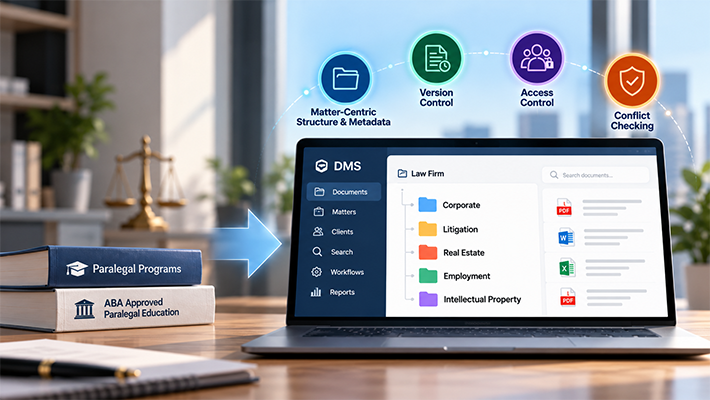
For example, a law firm may need to organize documents by client and matter, while an accounting firm may prioritize client records, tax documents, and financial periods.
Consistent filing rules help employees store documents in predictable locations and retrieve them more reliably.
Evaluate Search and Indexing
Identify the information employees typically know when searching for a document.
They might know a client name, document type, date, matter number, or a phrase contained within the document.
Choose a system whose indexing and search capabilities support these real-world requirements.
Review Security and Administrative Controls
Determine which users should access different categories of records and what actions they should be permitted to perform.
Consider the need for permissions, audit trails, version history, retention procedures, and administrative oversight.
Consider Deployment and Infrastructure
Evaluate where documents and the document management system will be hosted, who will administer the environment, and what access and infrastructure requirements apply.
Organizations with specific requirements for data control or infrastructure management may prefer an on-premise or customer-hosted private cloud deployment, depending on their needs and available resources.
Plan for Adoption and Ongoing Management
Even a capable system depends on consistent use.
Establish filing procedures, train employees, assign administrative responsibilities, and review whether the system is helping users find and manage documents effectively.
Common Digital Filing Mistakes to Avoid
Relying Only on Inconsistent Filenames
Descriptive filenames help, but they may not be sufficient when many users create and manage documents. Define naming conventions and consider metadata-based indexing when appropriate.
Creating Too Many Folders
Deep or inconsistent folder structures can make filing difficult. Design a structure that reflects the way employees work and test whether users can retrieve common documents without unnecessary steps.
Ignoring Document Security
A digital repository should not give every employee unrestricted access to all records by default. Define permissions according to business needs and review them periodically.
Scanning Without Planning for Retrieval
Scanning creates digital copies, but poorly indexed files can remain difficult to find. Decide how documents will be categorized and searched before starting a large digitization project.
Overlooking Version Management
Allowing employees to maintain separate copies without clear procedures can create uncertainty about which document is current. Consider version control when documents are frequently revised or shared.
How Docsvault Supports Digital Document Filing
Docsvault is document management software designed to help organizations organize, search, secure, and manage business documents.
Its capabilities include:
- Document indexing and search: Organize records using document information and retrieve them through supported search capabilities.
- Document capture and OCR: Support digitization and searchable documents through available capabilities and add-ons.
- Version control: Maintain document history and manage revisions.
- Security and permissions: Control access according to configured user and group permissions.
- Audit trails: Support accountability through records of document activity.
- Document and email management: Manage documents and related correspondence within an organized environment.
- Workflow capabilities: Support document-based business processes where configured.
Available capabilities depend on the Docsvault edition, configuration, and applicable add-ons.
Docsvault supports on-premise deployment and customer-hosted private cloud deployment, giving organizations deployment options based on their infrastructure and document-control requirements.
If your organization needs more than basic folders and shared drives, explore how Docsvault can support structured document filing and management.
Conclusion
A digital filing system provides a way to organize and retrieve electronic documents without depending entirely on physical records or inconsistent folder structures.
The right approach depends on the volume and sensitivity of your documents, the way employees search for information, and the level of control your organization needs.
Basic folders may be sufficient for simple requirements. Organizations managing larger document repositories or more complex processes may benefit from document management software with indexing, search, version control, permissions, audit trails, and workflow capabilities.
Choosing a system that matches your requirements and establishing consistent filing procedures—can help make business documents easier to find, manage, and control.